Alright, let’s cut to the chase—if you’re here Googling “can I use a coax adapter for internet?” chances are you’ve got a dead Ethernet port, a weirdly placed cable box, or you’re staring at an old coaxial line that’s been sitting in your wall since the 90s and wondering if it’s finally good for something other than cable TV. As a coax adapter supplier, I get this question like clockwork—probably 10 times a day, to be honest. Most people come in assuming it’s either a miracle fix or a scam, and I’m here to tell you it’s neither. It’s just… another tool. Let’s break this down like we’re chatting over a coffee, no tech jargon overload, promise. Coax Adapter
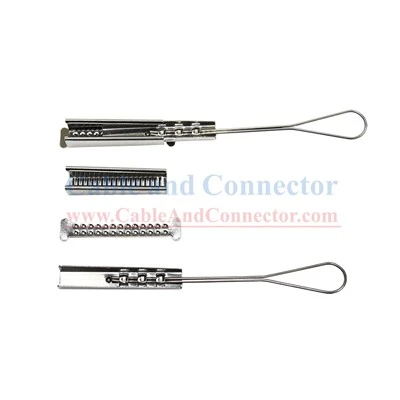
First, let’s get the basics straight. What even is a coax adapter, and how does it tie to internet? For the uninitiated, coaxial cable is that thick, rigid wire with the metal braid and plastic core that used to run cable TV to every room in your house back in the day. It’s still everywhere—most apartments and old single-family homes have a half-dozen or so coax jacks hiding behind wall plates in the living room, bedroom, even the laundry room. Back then, it was for TV, but now, with the rise of tech that piggybacks on existing wiring, coax can carry way more than just cartoon channels. A coax adapter is basically the middleman that lets you turn that old TV wire into an internet line. Makes sense, right?
But wait—can you actually use it for your internet? Short answer: yeah, if you set it up right and your home is wired correctly. The long answer is where most people get tripped up, because it’s not just plug-and-play (I wish it were that easy, trust me). Let’s talk about the two main ways people use coax for internet these days, because that’s where the adapter comes in. The first is MoCA—Multimedia over Coax Alliance. That’s the big one for people who want a wired internet connection without running a new Ethernet cable. You just plug one MoCA adapter into your router (via Ethernet), then plug another one into a coax jack in the room where you need internet, and boom—you’ve got a wired link that’s usually faster and more stable than Wi-Fi, especially if you’ve got thick walls or a ton of devices sucking bandwidth. The second is cable internet, which is what most ISPs offer now—your modem connects to a coax jack in your home, and that’s how you get internet. The adapter here is sometimes used if your modem has a weird old coax port or if you need to split a single coax line for both internet and TV without messing up the signal.
Here’s the thing I always tell customers who come in nervous: not all coax adapters are created equal. You can’t grab some random old adapter from your junk drawer and expect it to work for internet. Coax adapters come in different types, rated for different frequencies, and if you pick the wrong one, you’ll get slow speeds, dropouts, or no connection at all. For example, MoCA adapters need to be rated for at least 1 GHz frequency (most modern ones are, but if you’ve got super old wiring that only goes up to 500 MHz, you might hit a speed cap). Also, you need to make sure your home’s coax network isn’t split too many times before the adapter—if there are 10 splitters between your router and the jack you’re using, even the best adapter won’t fix that. I see this all the time: someone buys a cheap no-name adapter off Amazon, plugs it in, and texts me “this doesn’t work, what’s wrong?” It’s not the adapter—it’s that they cut corners on a $15 part when they should’ve spent $30 on a reliable one.
Let’s talk about real-world use cases to make this concrete. Last month, a customer emailed me saying his kid’s bedroom was down a long hallway, and Wi-Fi there was so bad his online classes kept freezing. He didn’t want to drill holes in the walls to run Ethernet, so he tried a coax adapter he grabbed from a local hardware store. It worked… but not great—he was only getting 50 Mbps, when his plan is 300 Mbps. Turns out the adapter he bought was only rated for 500 MHz, which was too slow for his high-speed plan. He swapped it for our 1 GHz MoCA adapter, and now he’s getting 280+ Mbps in the bedroom, no issues. Another recent customer lives in a 1970s apartment where the only Ethernet port is in the closet. He used a coax adapter to plug into the living room jack, ran a short Ethernet to his streaming setup, and now his 4K movies load instantly. No fancy work, no hassle—just a good adapter doing what it’s supposed to.
Wait, but hold on—there are caveats. You can’t just add a coax adapter willy-nilly if your home has a bunch of unused coax lines disconnected at the other end. If there’s no device on the other side of a coax jack (like another TV or adapter), that’s called a “home run” or a dangling line, and it can cause signal interference. A lot of people don’t know that, and they plug an adapter into a random jack that’s not terminated, and wonder why their internet is spotty. My advice there? Before you buy an adapter, take 5 minutes to check all your coax jacks—make sure any unused ones are either terminated with a coax terminator (those little caps that plug into the end of a coax jack) or disconnected at the main splitter in your basement or utility closet. That’s a free fix that makes a huge difference.
Another myth I love busting: coax adapters aren’t just for people with old homes. A lot of new-builds use Ethernet over coax too, especially in places where running fiber is too expensive. Even if you have brand new wiring, a good coax adapter can give you a stable wired connection without the cost of professional cable running. I had a customer who just moved into a new townhouse, and he used three of our adapters to set up internet in the living room, home office, and game room—all without calling an electrician. Saved him like $200 in installation fees, and he said the setup took 10 minutes. That’s the kind of win I love.
Now, let’s get practical about picking the right adapter, because that’s the biggest pain point for most people. First, figure out what you need it for: is this for MoCA to extend your wired internet, or just to connect your cable modem to a coax jack? If it’s for high-speed internet (100 Mbps or more), go for a 1 GHz rated coax adapter—anything lower will bottleneck your speed. If you’re using MoCA, make sure the adapters are paired (most modern ones are plug-and-play, so you just plug them in and they sync automatically, but some older ones need a pairing button). Avoid super cheap adapters (under $20 a piece) unless you’re on a super low-speed plan—they’re often made with lower-quality metal that causes signal loss. We’ve tested our adapters against the cheap ones, and the difference is night and day—our 1 GHz MoCA adapters have less than 1% signal loss, while the no-name ones have up to 15% just from the cable connection.
Wait, what about if you have splitters? A lot of people ask if adding a coax adapter will mess with existing splitters. The short answer is: only if the splitter is old and not rated for the frequency you’re using. If your splitter is a 5-1000 MHz rated one (which is standard these days), it works fine with modern coax adapters. If it’s an old 5-900 MHz splitter, it might cause a little signal loss, but for most homes, it’s not a dealbreaker. Our tech support team gets calls about this all the time—someone says “my adapter works but my signal is low” and 9 times out of 10, it’s an old splitter that needs to be replaced. It’s a $5 fix, but most people don’t know that.
Let’s also talk about what coax adapters can’t do, because that’s important to set expectations. They can’t turn a dead coax line into internet if the line is damaged. If your coax wire is frayed, has water damage, or was cut and not properly terminated, even the best adapter won’t work. Also, they can’t make Wi-Fi better if your problem is just distance from the router. If you have no coax lines at all in your home (like a super new build that only ran Ethernet), a coax adapter is useless for internet—you’d need MoCA adapters that pair via power line instead, but that’s a different tool. And finally, if your ISP doesn’t offer cable internet, you can’t use a coax adapter to get internet out of thin air—it has to be paired with your ISP’s service, just like a regular modem.
I get why people are skeptical. When I first started selling coax adapters 8 years ago, I had a bunch of customers who were burned by cheap, broken ones that came in the mail, so they swore by all coax adapters being scams. But over the years, we’ve refined our products, worked with techs to test every adapter for real-world use, and we’ve had thousands of customers tell us our adapters solved their internet problems for a fraction of the cost of running new cables or hiring a pro. Last quarter alone, we had a customer who used four of our adapters to set up a whole-home wired network for his small business, cutting his internet downtime by 90%—that’s the kind of impact that makes this job worth it.
If you’re still on the fence, here’s a quick checklist to see if a coax adapter is right for you: 1) Do you have at least one unused coax jack in your home? 2) Is your home wired with modern coax (not the thin, old stuff from the 70s)? 3) Are you okay with a wired connection (if it’s for MoCA) or just need to connect a modem to a jack? If you answered yes to all three, a coax adapter is almost definitely going to work for you. If not, we can help you figure out what does—we don’t push products that don’t fit a customer’s needs, which is why we’ve built such a loyal customer base over the years.
At the end of the day, using a coax adapter for internet isn’t rocket science, but it’s not just grabbing any part off a shelf either. It’s about picking the right adapter for your setup, checking your existing wiring to avoid interference, and setting realistic expectations for what it can do. If you’re not sure which adapter you need, or if you have questions about your home’s wiring, don’t hesitate to reach out. We’re here to help—no pushy sales stuff, no jargon, just straight answers. Whether you’re a homeowner with a bad Wi-Fi signal in your bedroom, a landlord trying to upgrade your building’s internet without wiring every unit, or a small business needing a stable connection for your office, we’ve got the coax adapters that work.
Scotchlok Connector If you’re ready to chat more about your specific setup, or want to order, reach out to us. We’ll help you pick exactly what you need, no hidden fees, and our support team is here if you run into any issues along the way. No scams, no overpriced parts, just solid products that do what they say.
References
- Multimedia over Coax Alliance (MoCA) Official Specifications
- Federal Communications Commission (FCC) Guide to Home Coaxial Wiring
- Consumer Technology Association (CTA) Coax Cable Performance Standards
- ISP Best Practices for Home Coax Network Optimization
Zhejiang Cable and Connector Optic Co., Ltd.
As one of the most professional coax adapter manufacturers and suppliers in China, we have world-leading production equipment and strong manufacturing capabilities. Please rest assured to wholesale custom made coax adapter at competitive price from our factory.
Address: 1517 East Communications Building, No.398, Wensan Road, Xihu District, Hangzhou City, Zhejiang Province, China.
E-mail: Sales@CableAndConnector.com
WebSite: https://www.zjcableandconnector.com/
